Table of Contents
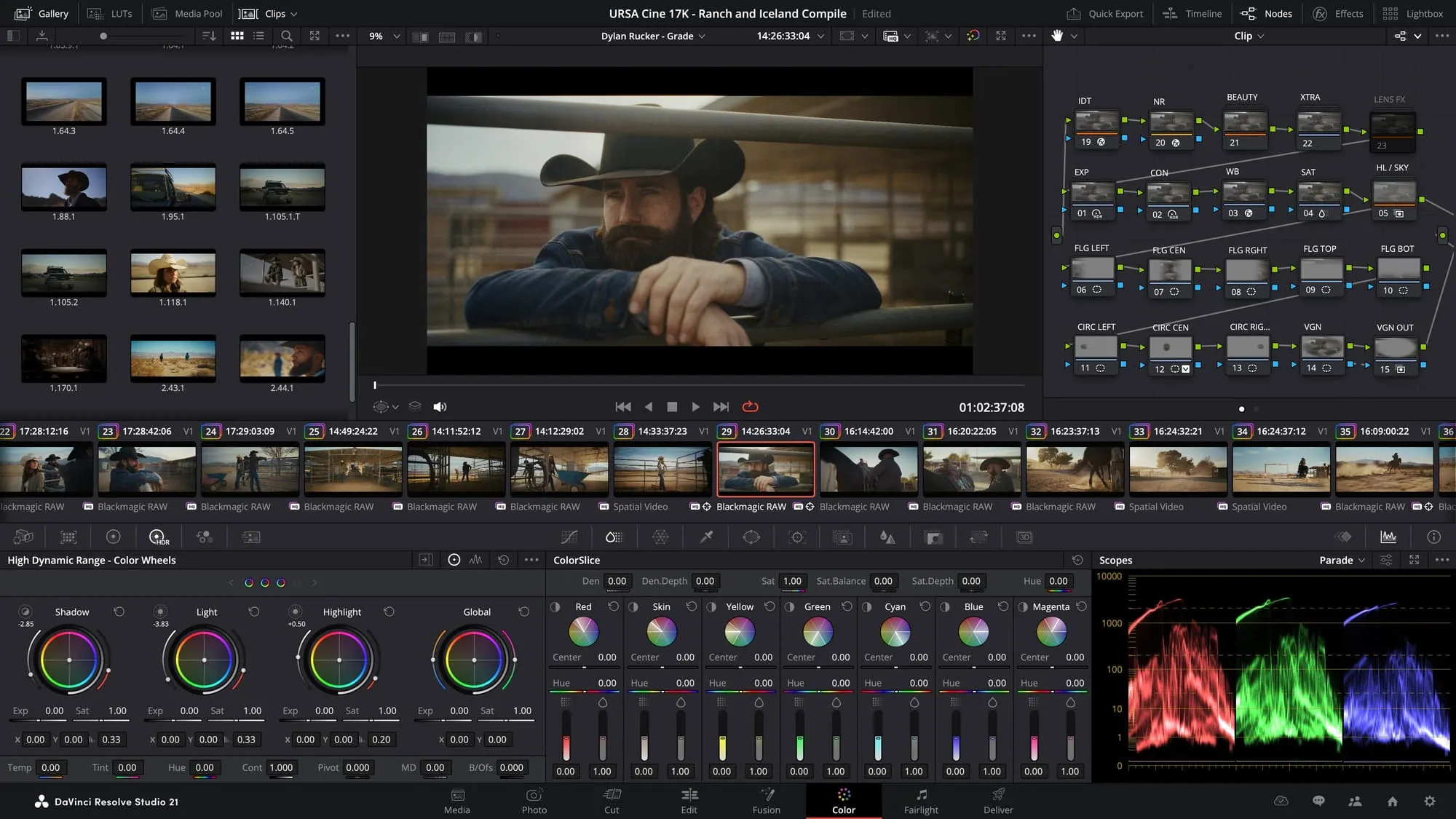
In this exciting new update– to be demonstrated at their 2026 NABShow booth this year– Blackmagic Design has advanced their DaVinci Resolve 21 program. Their innovative new Photo page focuses on smooth workflow, creative support through their variety of tools, and a number of new, exciting ways to organize and bring your creative project to life. Available for public beta on their website and coming soon to NABShow, we're sharing a few things independent filmmakers will are sure to find useful.
The Photo Page
The most notable update is the newest integration of the Photo page, allowing users to upload and edit photographs alongside the color page for professional level color-grading. Tools such as primary color correction, curves, qualifiers, power windows and node editor are a few ways photographers and colorists alike can take advantage of this new feature.
More convenient is the ability to batch edit albums and areas, and to retain the original quality and formatting even while testing changes and cropping. These features make the Photo page an easy way to achieve clean, high quality results.
Easy organization also means that albums are reachable within DaVinci 21, with a useful tagging and sorting system that saves photographers from the all-too-familiar headache of having to shuffle through countless images. Experience greater ease through the ability to tether your Sony or Canon camera directly to the program. This allows for live editing of ISO, exposure, white balance, and you can save these presets for later as well.
AI tools
Users will find that Blackmagic's newly implemented AI tools offer possibilities for independent filmmakers looking for workarounds and creative support in their work. Here are some highlighted elements that may help you solve common issues or improve your projects:
- Create your own resources with their AI Speech Generator, AI Face Reshaper, or AI Blemish Removal, all convenient ways to maintain a smoother workflow without needing to reshoot or apply practical effects.
- Also take a look at their tools for improving media quality: AI Cinefocus provides visual effects and smart focusing in whichever area the user prefers.
- Let AI UltraSharpen and AI Motion Deblur help erase the need to reshoot unclear shots, and make unusable shots usable again by heightening resolution, fixing focusing errors, and adjusting motion blurs in fast-moving clips.
Having the ability to refine and improve upon scenes you may have had limited assets to shoot with is a major convenience when working with limited time or resources, and is especially useful when optimizing a workflow to be able to utilize any and all resources. Independent filmmakers are sure to take advantage of these tools to help confidently produce their project.
Other quality updates
DaVinci has also been given a variety of other updates in regards to quality of life and organization, adding many time-saving new elements including: IntelliScript's new clear formatting for plain screenplay and timeline creation; updated direct delivery to platforms such as Meta Quest and Youtube VR; and Fairlight Animator modifier's ability to connect directly to Fusion – allowing for easier dynamic mouth and eye animation.